
Know where they're biting before you leave the driveway.
Tight Lines turns Claude, ChatGPT, Gemini or Grok into a fishing guide who knows how water temperature, season, wind and light move fish. Tell it the species, the water and the forecast and get a game plan: where to start, what to throw, how to rig it, and what to change when it's slow.
Get Tight Lines Fishing Guide for $5 Estimate weight
$5 once · card, Apple Pay or Google Pay · download in a minute
Into more than one hobby? Get all 70 hobby skills for $19, this one included.
- One-time $5
- Instant email delivery
- 14-day refund
- Works in Claude, ChatGPT, Gemini and Grok
Game plan: largemouth, Lake Simcoe bays
Early June · water 64°F · light west wind · overcast morning
Spinning + baitcasterShore and kayakCatch and release
- 6:00Start on the windblown weed edge, west shoreOvercast plus wind: fish roam shallow and chaseSpot 1
- LureSpinnerbait, white, 3/8 ozCover water fast; slow roll if follows don't commitSearch
- 8:30Sun's up: slide to the 8 to 10 ft weedlineTexas-rigged 5 in stick bait, 3/16 oz weightSlow down
- RigPalomar knot, 12 lb fluorocarbonWet the knot, trim 1/8 in tagKnot
- If slowWacky-rig the stick bait on docks with shadePost-spawn fish sulk under coverPlan B
Everything a good fishing guide keeps in their head
One skill, six jobs. Claude, ChatGPT, Gemini or Grok picks the right one from what you ask.
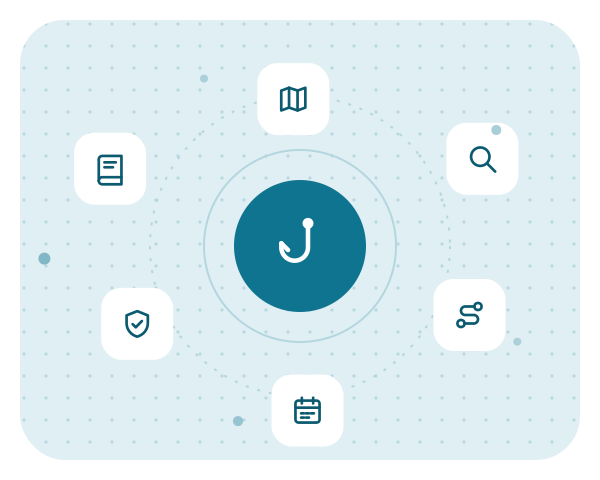
Where fish are right now
Seasonal patterns for bass, walleye, trout, panfish, pike, catfish, salmon and inshore species, matched to your water temperature.
What to throw and why
Lure, size, color and retrieve for the conditions, with a plan B and plan C for when they won't bite.
Rigs and knots
Step-by-step knots and rigs: Palomar, improved clinch, FG, drop shot, Carolina, slip bobber and more.
Trip plans
Best windows from wind, pressure, light and season, plus a gear and safety checklist for shore, boat, kayak or ice.
Rules and handling
Reminds you to check local seasons, limits and licenses, and how to release fish so they survive.
Catch log that learns
Log catches with conditions, then ask what's working. It finds the patterns in your own fishing.
Ask it like you'd ask a guide at the dock
It knows how temperature, light and wind move fish, so the advice fits your day, not a magazine article.
Start deep and on structure (high confidence)
Clear water plus bright afternoon sun pushes walleye deep, often 18 to 30 ft on main-lake points, humps and the first break off weed flats. They're light-shy, so the middle of the day is the hardest window. Plan on fishing slow and near bottom.
Your afternoon plan
- Pick 3 or 4 points or humps that drop into 25+ ft. Idle over them and look for fish or bait on the graph before you fish.
- Drag a bottom bouncer with a crawler harness at about 1 mph, or vertical jig a 3/8 oz jig with a minnow or soft plastic right on the bottom.
- If the wind picks up on a point, fish the windy side. Chop cuts light and walleye feed.
Be straight with yourself
2 to 5 p.m. in July is a tough walleye window. If you can, stay until dusk: the last hour of light is often better than the whole afternoon.
Example answer from the full skill. Your answers depend on what you ask.
Honest about what works
Fishing is full of magic lures and moon charts. Tight Lines tells you what actually moves fish.
- Water temperature firstSeason and water temperature drive fish location more than any lure. It asks before it guesses.
- Solunar charts, in perspectiveMoon tables are a weak signal next to light, wind and weather fronts. It says so.
- Local rules winSeasons, slot limits and bait rules vary by water. It reminds you to check your local regulations.
- Safety on the waterLife jackets, cold water, lightning and ice thickness, built into every trip plan.
Up and running in two minutes
No app to learn and nothing to install on your computer. It lives inside Claude, ChatGPT, Gemini or Grok.
Buy once
Pay $5 by card, Apple Pay or Google Pay. Your download link arrives by email in about a minute.
Add it to Claude, ChatGPT, Gemini or Grok
Upload the ZIP under Skills in Claude, or the unzipped folder in Gemini. It takes about 30 seconds. In Grok, upload the ZIP, or paste the included paste-in file into a new skill. In ChatGPT, add the included paste-in file to a Project.
Just ask
"Where do bass go after the spawn?" "What knot for braid to fluoro?" "Plan my Saturday on the river."
Pick your app for the exact clicks
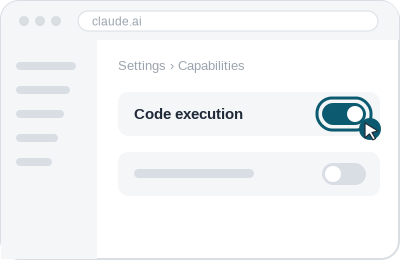
1In Settings, then Capabilities, turn on code execution.
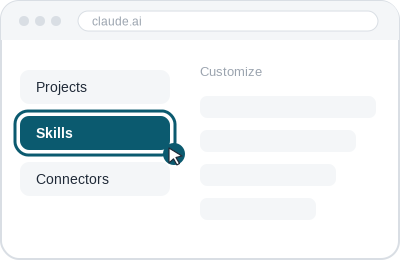
2Open Customize, then Skills.
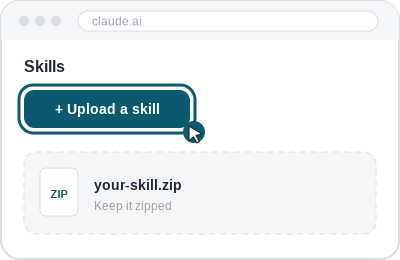
3Click +, choose Upload a skill, pick the ZIP. Keep it zipped.
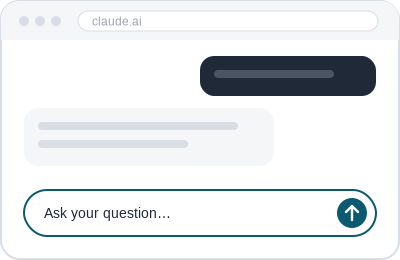
4Start a new chat and ask. Claude picks up the skill.
Works on every Claude plan, including the free one. Free plans have lower usage limits.
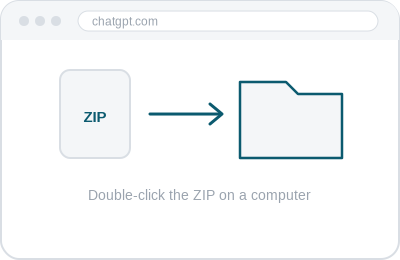
1On a computer, unzip the download and find ANY-AI-PASTE-VERSION.txt.
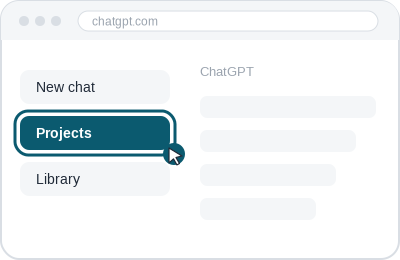
2In ChatGPT, open Projects and make a new project.
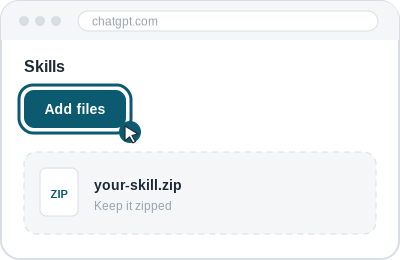
3Add the .txt file to the project. In its instructions, type: Follow the attached file.
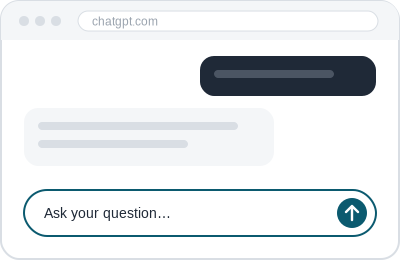
4Start a chat in that project and ask. On a Business, Enterprise or Edu plan, you can upload the ZIP under Skills instead.
Personal ChatGPT plans (Free, Plus, Pro) don't have a Skills page yet, so you use the paste-in version in a Project. On a Business, Enterprise or Edu plan, go to chatgpt.com/skills, choose Add, then Upload from your computer.
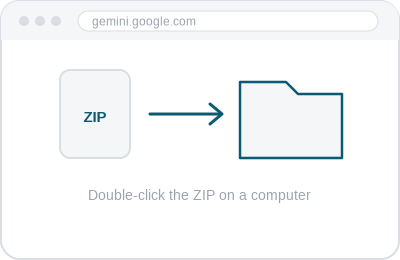
1On a computer, unzip the download. You get a folder.
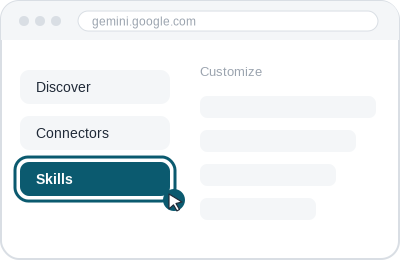
2At gemini.google.com, open Customize, then Skills.
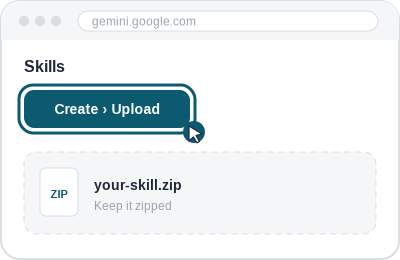
3Choose Create, then Upload, then folder. Pick the unzipped folder.
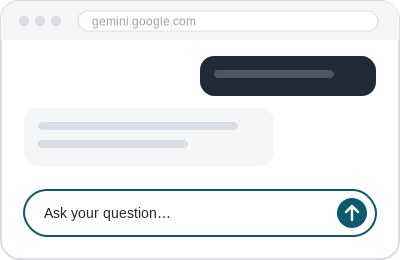
4Start a new chat and ask.
Gemini takes the unzipped folder, not the ZIP. Menus in Gemini change often, so names may differ slightly.
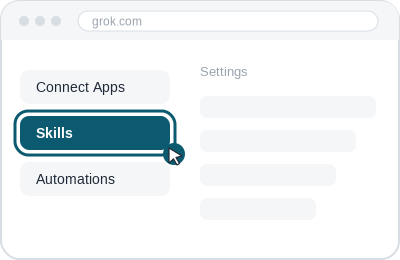
1At grok.com, open Settings, then Skills.
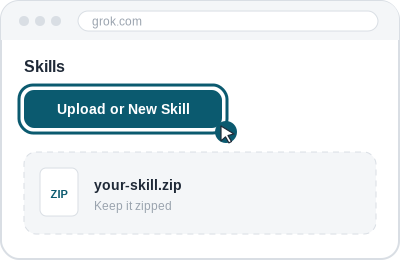
2If you see Upload, pick the ZIP. If you only see New Skill, use the next step.
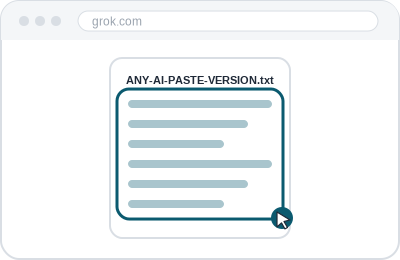
3New Skill: name it, then paste the text of ANY-AI-PASTE-VERSION.txt (below the line of equals signs) into Instructions.
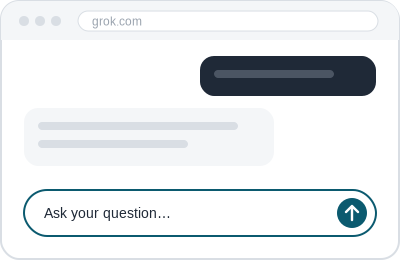
4Save it, start a new chat and ask.
Some Grok plans upload the ZIP; others show a New Skill form, where you paste the skill text in. Menus in Grok change often, so names may differ slightly.
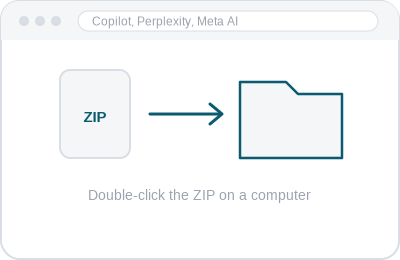
1No Skills page? Unzip the download on a computer.
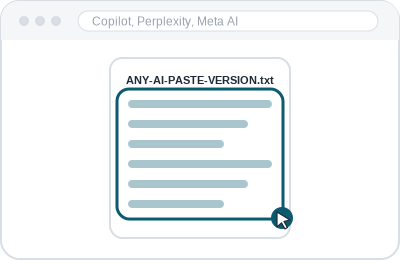
2Open ANY-AI-PASTE-VERSION.txt and copy everything.
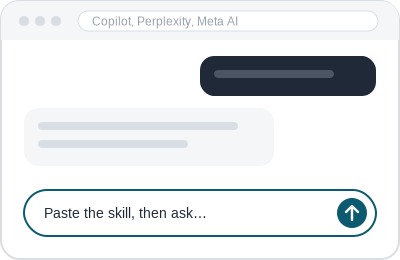
3Paste it into a new chat, then ask your question.
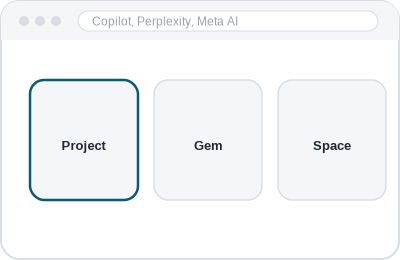
4To keep it on, add it to a ChatGPT Project, Gemini Gem or Perplexity Space.
Using Claude Code, Codex, Cursor or another coding agent? Unzip it into the skills folder, for example unzip tight-lines-fishing-guide.zip -d ~/.claude/skills/
On your phone? Go ahead and buy: the download link goes to your email and works for a year. Adding a skill is easiest from a computer, in a web browser or the desktop app, so open that email there when you're ready. Want to try it on your phone today? Open the ZIP, copy ANY-AI-PASTE-VERSION.txt into any chat app, and ask.
Start with the free Bite Plan
A small skill that builds a one-page game plan for your species, water and conditions: where to start, what to throw and plan B.
- Matched to species, season and water temperature
- Three spots to try, in order
- Lure, rig and a backup for slow bites
Get Tight Lines Fishing Guide
Pay once, use it whenever you need it. Includes the free Bite Plan too.
How to add it
Upload the ZIP under Skills in Claude, or the unzipped folder in Gemini (in Grok, upload the ZIP or paste the paste-in file into a new skill; in ChatGPT, add it to a Project), then start a new chat and try: "I'm fishing for largemouth bass on a small lake this Saturday morning. Water is about 65°F. Give me a game plan."
See the clicks for your app. Every download also comes with a paste-in version for any other chat, and a Start Here PDF.
Step-by-step guides with pictures: Claude · ChatGPT · Gemini · Grok
Tight Lines Fishing Guide
Plan trips, find fish, rig right and learn from every outing.
$5 one time
- Seasonal patterns for 20+ freshwater and inshore species
- Lure, color and retrieve picks with backups
- Knot and rig instructions
- Trip plans with gear and safety lists
- Catch log and pattern finder
- Release and handling tips
- Updates for a year
Card, Apple Pay or Google Pay through Stripe. Taxes calculated at checkout. 14-day refund.
Giving it as a gift? Buy it, forward the email, and print a gift card.
See a real answer from the full skill
You ask: Walleye on a clear lake in July. I can only fish 2 to 5 p.m. from a small boat. Where do I even start?
Start deep and on structure (high confidence)
Clear water plus bright afternoon sun pushes walleye deep, often 18 to 30 ft on main-lake points, humps and the first break off weed flats. They're light-shy, so the middle of the day is the hardest window. Plan on fishing slow and near bottom.
Your afternoon plan
- Pick 3 or 4 points or humps that drop into 25+ ft. Idle over them and look for fish or bait on the graph before you fish.
- Drag a bottom bouncer with a crawler harness at about 1 mph, or vertical jig a 3/8 oz jig with a minnow or soft plastic right on the bottom.
- If the wind picks up on a point, fish the windy side. Chop cuts light and walleye feed.
Be straight with yourself
2 to 5 p.m. in July is a tough walleye window. If you can, stay until dusk: the last hour of light is often better than the whole afternoon.
Into more than one hobby? The Skill Pass gets you all 70 hobby skills, this one included, for $19.
New to AI skills?
Tight Lines is a skill: a set of expert instructions you add to your own Claude, ChatGPT, Gemini or Grok account, so it answers like a fishing guide who knows the craft.
- Using Gemini? Unzip it and upload the folder on its Skills page. Using Grok? Under Settings, Skills, upload the ZIP or paste the paste-in file into a new skill. Using ChatGPT? Add the included paste-in file to a Project.
- New to all of them? Claude is an AI assistant made by Anthropic. Make an account at claude.ai: skills work on every Claude plan, including the free one, with code execution turned on in Settings, Capabilities.
- Try the free Bite Plan skill first. If you like it, the full skill is one purchase.
Not ready for an AI app? The free fish weight calculator on this site works in any browser, no account needed.
Free fishing tools
No sign-up, they run in your browser.
Made by Nic Hubert, What If Labs
I run What If Labs from British Columbia, Canada. I build each skill with AI help and test it on real questions, and a separate reviewer checks it before it goes on sale. If it doesn't do what this page says, email me at hello@whatiflabs.ai and I'll fix it or refund you.
No reviews yet: this store is new. Tell me how it went and I'll use it to make the skill better.
Questions
What kinds of fishing does it cover?
Freshwater bass, walleye, trout, panfish, pike, musky, catfish and carp, plus salmon and steelhead, inshore saltwater (redfish, snook, trout, flounder, stripers), fly fishing basics and ice fishing.
Can it tell me the exact spot on my lake?
It can't see your lake, but tell it the lake type, depth and features, or paste what your map shows, and it picks the kind of spots fish use in that season. Your graph and your notes do the rest.
I'm new to fishing. Is it too much?
Tell it you're new. It will suggest simple setups, one or two easy rigs and the basics of where fish hold, and skip the jargon.
Does it know the regulations where I fish?
It reminds you to check, and if it can search it will point you to your state or provincial regulations. Rules change every year, so always confirm with the official source before you keep fish.
What do I need to use it?
A Claude, ChatGPT, Gemini or Grok account. In Claude it works on any plan, including the free one, with code execution turned on (Settings, Capabilities). Free accounts have lower usage limits, so long planning sessions go further on a paid plan. It works in Claude on the web, the desktop app and Claude Code. In Gemini and Grok, upload it on the Skills page. In ChatGPT, personal plans (Free, Plus, Pro) don't have Skills yet, so you add the included paste-in file to a ChatGPT Project; Business, Enterprise and Edu plans can upload the ZIP under Skills. Coding agents that read SKILL.md files work too. Using Copilot, Perplexity, Meta AI or another chat with no Skills page? Every download includes a paste-in version (ANY-AI-PASTE-VERSION.txt) that works in any AI chat.
What if it doesn't work for me?
Email hello@whatiflabs.ai within 14 days of buying and we'll refund you in full. No forms, no questions.
How is this different from just asking an AI?
A general AI answer is often vague or skips steps. The skill gives your AI an expert's method: what to ask you first, the checklists and calculations to run, and the mistakes to warn you about. You get consistent, specific answers instead of a different guess each time.
Do I pay every month?
No. It's a one-time price, and updates to the skill are free.
Can I get a refund?
Yes. Every purchase comes with a 14-day refund, no questions asked. Reply to your receipt email and we'll take care of it.
What if it gets something wrong?
It shows its working, so you can check numbers and dates. Tell it what's off and it will correct itself. For anything where a mistake costs money or safety, double-check before you act, as you would with any advice.
Is my information private?
The skill runs inside your own Claude, ChatGPT, Gemini or Grok account, and we never see your chats. When you buy, Stripe handles the payment and we keep your email and order so we can send the download. The terms and privacy page has the details.